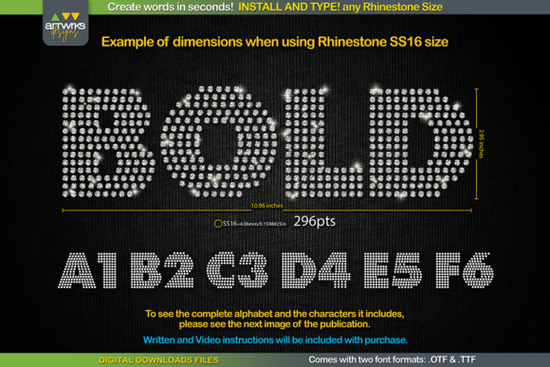
If you're looking for a quick and easy way to add some sparkle to your designs, the RS04 Modern DIY RHINESTONE TTF Template Font is a fantastic choice. This font allows you to create rhinestone text in seconds, making it perfect for custom t-shirts, heat transfer vinyl, and more. Simply install the font, type out your text, and each letter will be perfectly filled with rhinestones or arranged for heat transfer vinyl.
Why Choose the RS04 Modern DIY RHINESTONE TTF Template Font?
This font is designed to be user-friendly and versatile. It comes in both .OTF and .TTF formats, so it works seamlessly on Windows, iPad, iPhone, and Mac. You can use it with popular design software like Cricut Design Space, Silhouette Studio, Inkscape, and Illustrator. The best part is that it's incredibly easy to use just download, install, and start typing!
How to Use the RS04 Modern DIY RHINESTONE TTF Template Font
Using this font is straightforward. Here’s a step-by-step guide to get you started:
- Close your design program.
- Unzip the file.
- Open the .TTF file and click on Install, or right-click and select “install for all users.”
- Open your design program.
- Type a word and select the desired font.
- Adjust the font size according to the rhinestone size you are going to use. For example:
- Font Point Size SS6: 189 pt
- Font Point Size SS10: 241 pt
- Font Point Size SS16: 295 pt
- Font Point Size SS20: 388 pt
- Ready! You can now send your template to the cutter machine.
What Can You Create with This Font?
The possibilities are endless with the RS04 Modern DIY RHINESTONE TTF Template Font. You can create custom t-shirts, personalized gifts, and even unique home decor items. The font is perfect for adding a touch of elegance and sparkle to any project. Whether you're a seasoned designer or a craft enthusiast, this font makes it easy to produce professional-looking results.
Troubleshooting Tips for Cricut Design Space
Recently, some users have reported that Cricut Design Space does not maintain the recommended size for different stone sizes as it did before. If you encounter this issue, here’s how to adjust the font size:
- After installing the font, open Cricut Design Space.
- Type your text and select the RS04 Modern DIY RHINESTONE TTF Template Font.
- Adjust the font size manually using the point sizes provided (e.e., 189 pt for SS6).
- Preview your design to ensure the rhinestones are the correct size.
- Send your design to the cutter machine.
Other Fonts You Might Like
If you’re looking for more creative fonts to complement your projects, here are a few other options you might enjoy:
- Fluffernutter Font - A fun and playful sans-serif font that adds a whimsical touch to your designs.
- Brooklyn Font - A modern and stylish sans-serif font that’s great for a variety of projects.
- Maple Doughnuts Family Font - A versatile font family that includes multiple styles, perfect for creating cohesive designs.
- Mochacino Font - A warm and inviting sans-serif font that’s ideal for branding and marketing materials.
- Onelia Font - A sleek and elegant sans-serif font that adds a touch of sophistication to any project.
Final Thoughts
The RS04 Modern DIY RHINESTONE TTF Template Font is a must-have for anyone looking to add a bit of sparkle to their designs. Its ease of use and versatility make it a valuable addition to your font collection. Whether you’re working on a personal project or creating something for your business, this font will help you achieve professional and eye-catching results.
Next Steps:
- Download and install the RS04 Modern DIY RHINESTONE TTF Template Font.
- Experiment with different rhinestone sizes and design ideas.
- Check out the other fonts mentioned for more creative options.
 Brooklyn Font Inspiration & Design Ideas
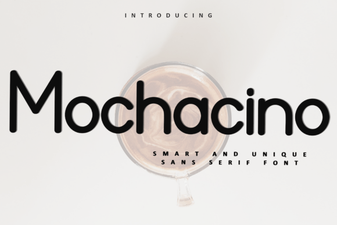 Mochacino Font: Elegant Typography for Modern Designs
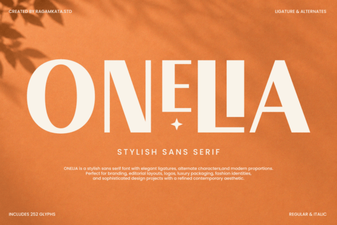 Craft Projects with the Onelia Font for Modern Style
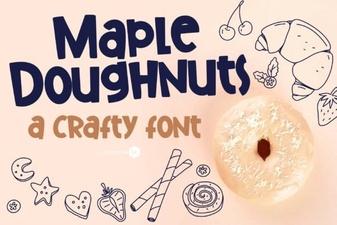 Download Maple Doughnuts Font for Family Projects
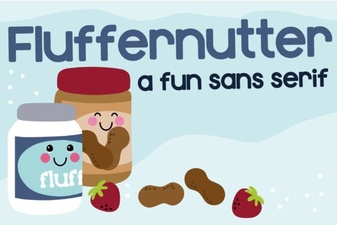 Creative Projects with Fluffernutter Font
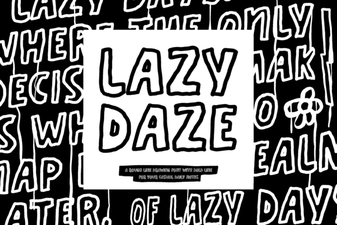 Lazy Daze Font: Casual Designs & Creative Projects